 Picture to Text guide
Live Text Not Working on Mac? How to Fix It (and Select Text in Any Image)
By Muhammad Shahid Khan · · 4 min read
Quick answer
Live Text needs macOS Monterey or later and must be switched on in System Settings > General > Language & Region > Live Text. It works in Preview, Photos, Safari and Quick Look, but not in every app, and only for supported languages. If text still will not select, it is usually too small, blurred or decorative. Picture to Text can read any image, PDF or area of the screen instead.
Picture to TextCopy Text from Images & PDFs · Free on the Mac App StoreDownload free →| macOS needed | Monterey (12) or later |
|---|---|
| Switch | System Settings > General > Language & Region > Live Text |
| Works in | Preview, Photos, Safari, Quick Look and more |
| Paused video | macOS Ventura (13) or later |
| Alternative | Picture to Text, for any image, PDF or screen area |
You open a screenshot in Preview, try to drag over a line of text, and get a selection box instead. Live Text on the Mac is easy to miss when it is off, and it has more limits than on iPhone. Here is how to check each one.
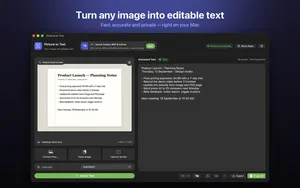
I build Picture to Text - ExtractText, a free Mac OCR app that reads images, PDFs and any area of the screen on your Mac, and the screenshots here come from it. If you want to try it as you read, get Picture to Text on the Mac App Store.
How do I turn on Live Text on Mac?
- Open System Settings (System Preferences on older macOS).
- Go to General > Language & Region.
- Turn on Live Text ("Select text in images").
- Reopen the image and move the pointer over the text. It should change to a text cursor.
Why is Live Text still not working?
- Old macOS. Live Text arrived in macOS Monterey. Paused video support came in Ventura.
- The app does not support it. Preview, Photos, Safari and Quick Look do. Many third-party apps and some browsers do not.
- Preview is in the wrong tool. Choose the Text Selection tool in Preview's Tools menu, not Rectangular Selection.
- The language is not supported. Live Text covers a limited set of languages.
- The text is small, blurred or stylised. Zoom in, or use a sharper image.
- It is a scanned PDF with many pages. Live Text works page by page; selecting across pages does not. See copy text from a scanned PDF.
Are there built-in alternatives?
- Shortcuts: the Extract Text from Image action can read an image file or clipboard image.
- Photos: open the image in Photos, where Live Text tends to be most reliable.
- Quick Look: select the file in Finder and press Space, then select text.
When is an OCR app better than Live Text?
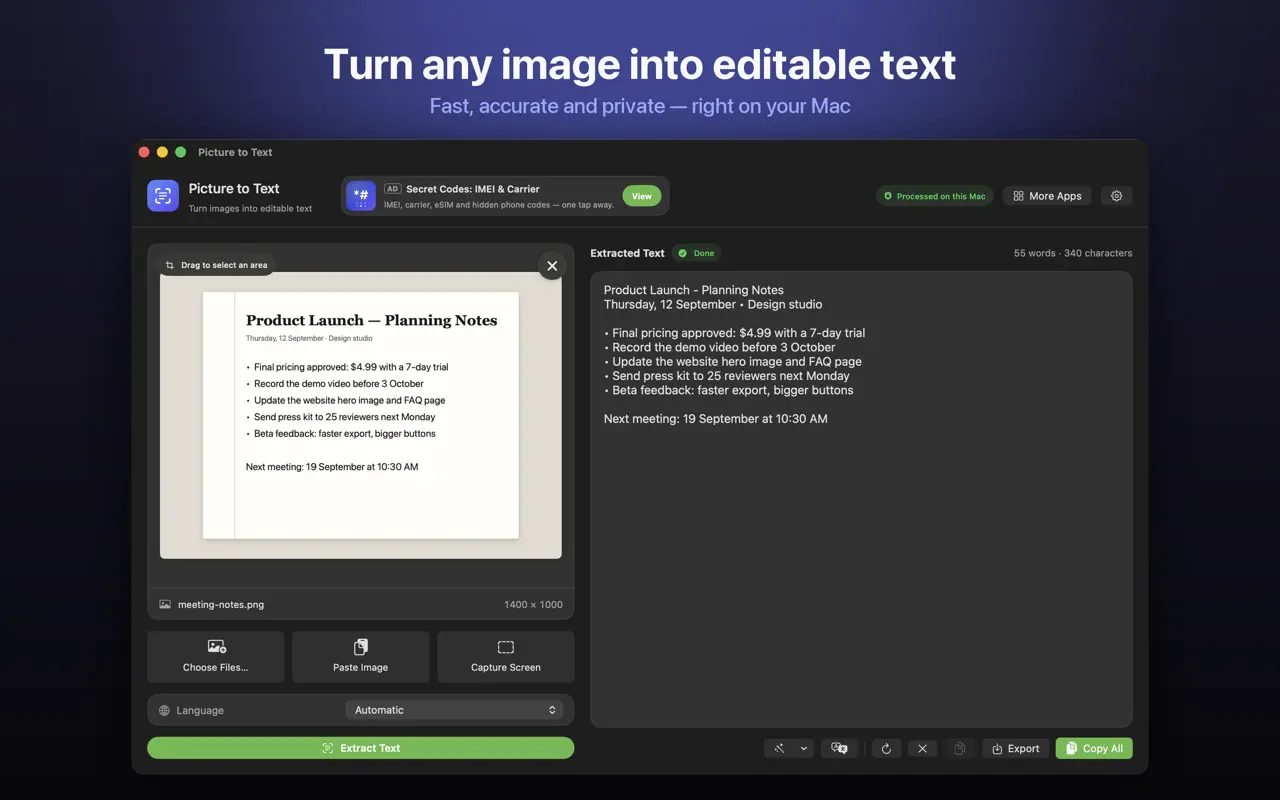
- When you want all the text from an image, not a hand-selected part.
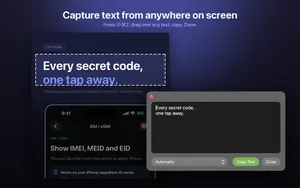
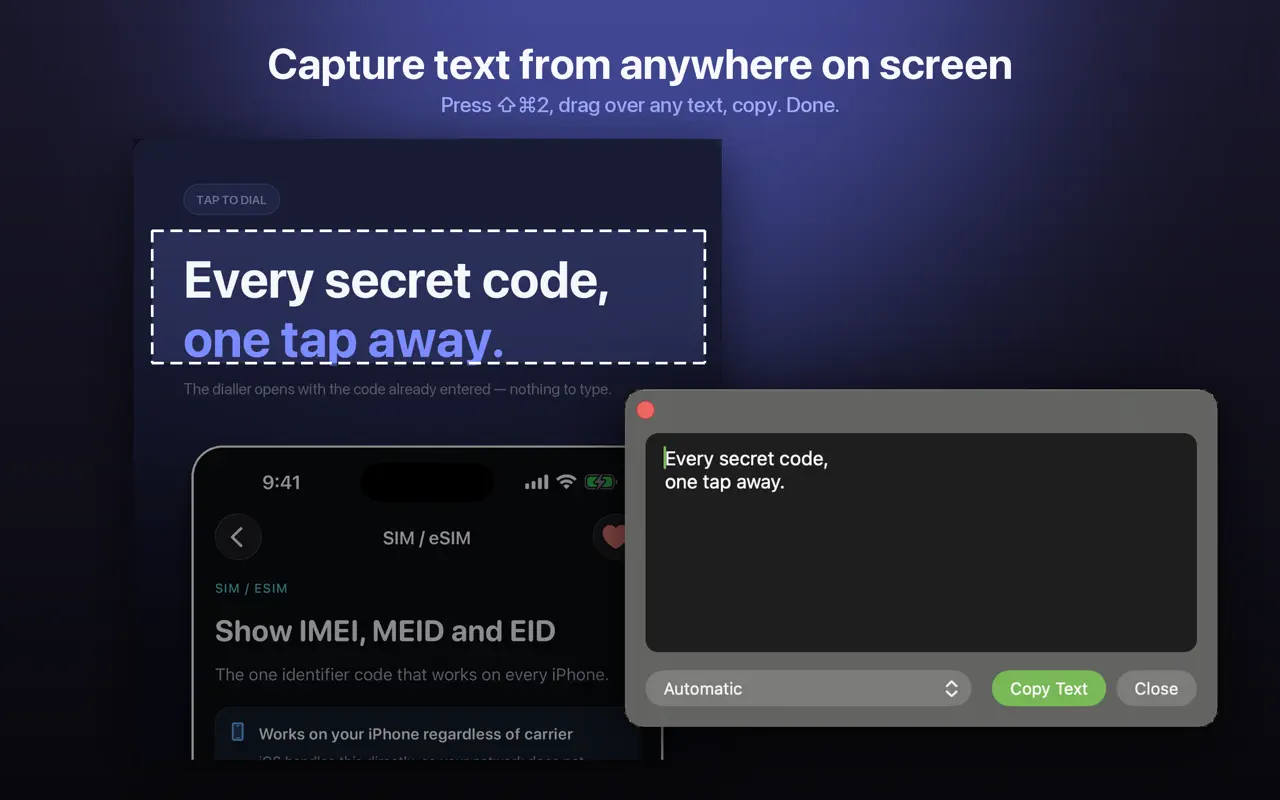
- When the text is in an app or window that does not support Live Text: use screen capture with Shift-Command-2.
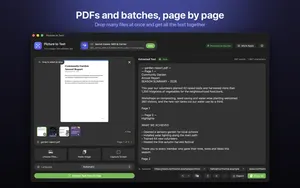
- For multi-page PDFs, which Picture to Text reads page by page with labels.
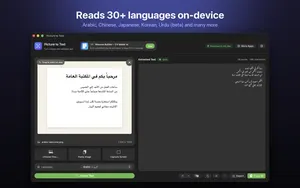
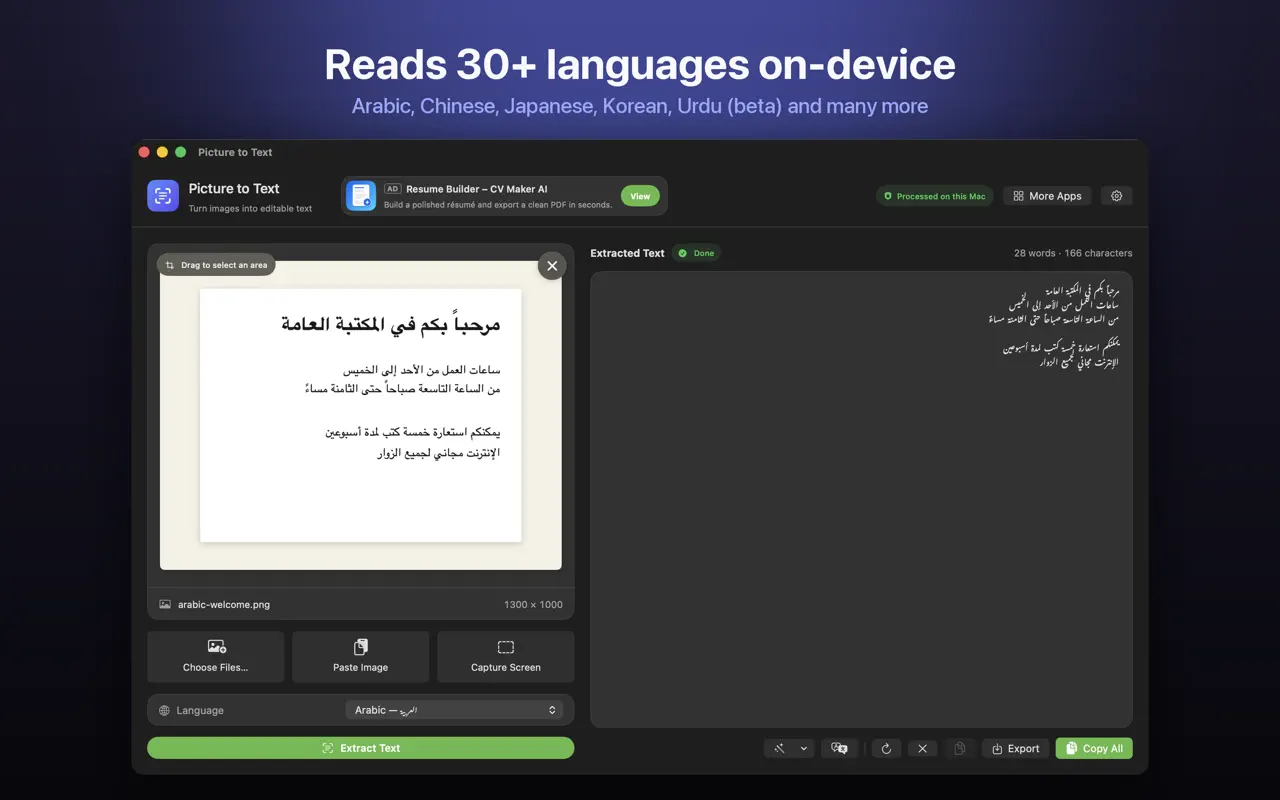
- For languages Live Text does not cover: Picture to Text supports 30+, including Urdu, Persian and Punjabi in beta.
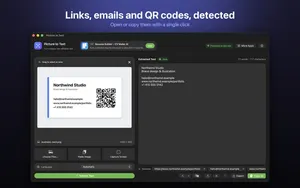
- When you want to clean up line breaks, detect links and QR codes, or export a .txt file.
Is Live Text or Picture to Text private?
Both run on your Mac. Picture to Text uses Apple's on-device Vision framework, with no uploads, no account and no tracking. Every method side by side is in how to extract text from an image on Mac.
How Picture to Text helps
- Drop in images or PDFs, paste from the clipboard, or choose several files at once.
- Capture any area of the screen with Shift-Command-2 or from the menu bar.
- Read multi-page scanned PDFs, with each page labelled in the result.
- 30+ languages, including Urdu, Persian, Pashto, Sindhi and Punjabi in beta.
- Clean Up, Detect and Translate: join broken lines, open links, emails, phone numbers, QR codes and barcodes, and translate on macOS 26 or later.
- Private: Apple's on-device Vision framework, no uploads, no account, no tracking, and it works offline.
Download Picture to Text free on the Mac App Store and copy text from anything on your screen.
Frequently asked questions
Why can’t I select text in an image on my Mac?
Live Text may be off, your macOS may be older than Monterey, the app may not support it, or the text may be too small or in an unsupported language.
How do I turn on Live Text on Mac?
System Settings > General > Language & Region, then turn on Live Text.
Which Macs support Live Text?
Macs running macOS Monterey or later.
Why can’t I select text in Preview?
Make sure Live Text is on and that Preview is using the Text Selection tool, not Rectangular Selection.
Does Live Text work in Chrome on Mac?
Not reliably. Open the image in Preview or Safari, or use screen capture OCR instead.
Can I copy text from a scanned PDF with Live Text?
Page by page, sometimes. For a whole PDF, use an OCR app that reads every page.
Is there a built-in way to extract all text from an image on Mac?
The Shortcuts app has an Extract Text from Image action.
Does Live Text work offline on Mac?
Yes. It runs on your Mac.
What can I use instead of Live Text on Mac?
Picture to Text, which reads images, PDFs and any screen area in 30+ languages on your Mac.
Does Picture to Text upload my images?
No. It uses Apple’s on-device Vision framework. There are no uploads, accounts or tracking.
Can Picture to Text read text in apps that block copying?
Yes. Screen capture reads what is shown on screen, so it works where normal copying is blocked.
Picture to TextDownload free