 Mac · Copy Text from Images & PDFs
Picture to Text guides and tips
Mac OCR app: drop in images or PDFs, or press Shift-Command-2 to capture any area of the screen, and get editable text in 30+ languages. Everything runs on your Mac.
Quick answer
Picture to Text - ExtractText is a free Mac app by Muhammad Shahid Khan (Copy Text from Images & PDFs). This page lists all 10 guides for it. Each one answers a single real question in plain language, with screenshots from the app.
Picture to TextCopy Text from Images & PDFs · Free on the Mac App StoreDownload free →| Developer | Muhammad Shahid Khan |
|---|---|
| Price | Free on the Mac App Store |
| Platform | Mac |
| Guides | 10 |
| Languages | English, עברית, 简体中文, Español |
All Picture to Text guides
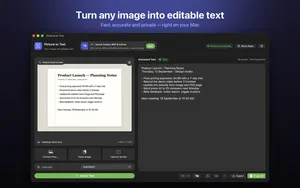 01How to Extract Text From an Image on Mac (Every Method)Copy text from images, photos and screenshots on Mac: Live Text in Preview and Photos, plus Picture to Text for batches, PDFs, screen capture and 30+ languages.
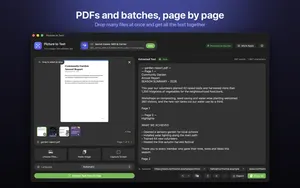 02How to Copy Text From a Scanned PDF on MacWhy you can’t select text in a scanned PDF, how to check, and how to extract text from every page on a Mac with on-device OCR. No uploads, works offline.
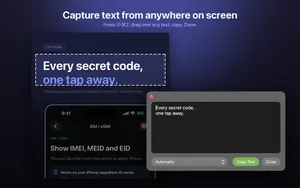 03Screenshot to Text on Mac: Capture Any Area With Shift-Command-2Grab text from anything on your Mac screen, including videos, apps and images that block copying, with one shortcut. How it works, setup and privacy explained.
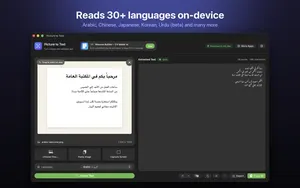 04OCR for Urdu, Arabic, Persian and 30+ Languages on MacExtract Urdu, Arabic, Persian, Pashto, Chinese, Japanese and 30+ other languages from images and PDFs on Mac, on-device. What works well and how to get it right.
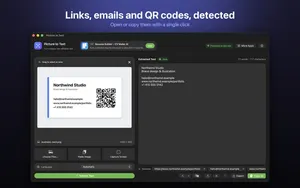 05How to Scan a QR Code or Barcode on Mac (From Your Screen or an Image)Read a QR code or barcode on your Mac from a screenshot, PDF, image or anything on screen, without your phone. Step by step, plus how to check links safely.
- 06How to Copy Text From a Video or Video Call on Mac (YouTube, Zoom, Teams)Copy text from a paused video, tutorial or a slide shared on Zoom, Teams or Meet on your Mac: Live Text for paused videos, and screen capture OCR for the rest.
- 07Live Text Not Working on Mac? How to Fix It (and Select Text in Any Image)Why you cannot select text in images on your Mac, how to turn Live Text on, which apps and macOS versions support it, and what to use when it still will not work.
- 08How to Convert an Image or Scanned PDF to a Word Document on MacTurn a photo, screenshot or scanned PDF into an editable Word or Pages document on Mac: extract the text with OCR, clean it up, rebuild the layout and save as .docx.
- 09How to Extract Links, Emails and Phone Numbers From an Image on MacPull URLs, email addresses, phone numbers, QR codes and barcodes out of screenshots, posters, business cards and PDFs on your Mac, and open or copy them with one click.
- 10How to Translate Text in an Image or Screenshot on MacTranslate text in photos, screenshots, scanned PDFs and any part of the screen on Mac: Live Text Translate, and OCR then translate for long or unsupported text.
Common questions about Picture to Text
Can a Mac extract text from an image?
Yes. On macOS Monterey and later, Live Text lets you select text in images in Preview, Photos, Quick Look and Safari. Apps like Picture to Text handle batches, PDFs and screen capture. Read guide →
Why can’t I copy text from a PDF on my Mac?
The PDF is probably scanned, which means each page is an image with no text layer. You need OCR to extract the text. Read guide →
How do I copy text from my screen on a Mac?
With Picture to Text, press Shift-Command-2 and drag over the text. It appears in a floating window ready to copy. Read guide →
Can I do Urdu OCR on a Mac?
Yes. Picture to Text supports Urdu in beta, alongside Persian, Pashto, Sindhi and Punjabi. Read guide →
Can a Mac scan QR codes?
Yes. With Picture to Text, press Shift-Command-2 and drag over a QR code on screen, or drop in an image or PDF that contains one. Read guide →
How do I copy text from a video on Mac?
Pause the video and use Live Text in Safari or QuickTime on macOS Ventura or later, or press Shift-Command-2 with Picture to Text and drag over the text. Read guide →
Why can’t I select text in an image on my Mac?
Live Text may be off, your macOS may be older than Monterey, the app may not support it, or the text may be too small or in an unsupported language. Read guide →
How do I convert an image to a Word document on Mac?
Extract the text with OCR, clean it up, paste it into Word or Pages, add formatting and save as .docx. Read guide →
How do I copy a link from an image on Mac?
Drop the image into Picture to Text or capture it with Shift-Command-2. Detected links can be opened or copied with one click. Read guide →
How do I translate text in an image on Mac?
Select the text with Live Text in Preview, Photos or Safari, Control-click and choose Translate. For long text, extract it first with an OCR app. Read guide →