 Secret Codes guide
*#31#, #31# and *31# on iPhone: What They Do and How to Turn Them Off
By Muhammad Shahid Khan · · 5 min read
Quick answer
Service code 31 controls outgoing caller ID on GSM networks. #31# before a number hides your number for that call. *31# before a number shows it for that call when it is hidden by default. *#31# on its own checks whether your number is hidden on your line. If your calls always show as No Caller ID, turn on Show My Caller ID in Settings or ask your carrier.
Secret CodesDial codes, SIM & network test · Free on the App StoreDownload free →| #31# + number | Hide your number for that call |
|---|---|
| *31# + number | Show your number for that call |
| *#31# | Check whether caller ID is hidden on your line (CLIR) |
| Permanent setting | Settings > Apps > Phone > Show My Caller ID |
| US equivalent | *67 to hide, *82 to show |
| Still works? | Yes, on most GSM networks, but carriers can override it |
The number 31 confuses people because the same three characters do opposite things depending on where the stars and hashes go. One version hides your number, one shows it, and one tells you which setting you have. Here is each one, plus how to fix the most common complaint: "my iPhone calls show as No Caller ID and I did not ask for that".
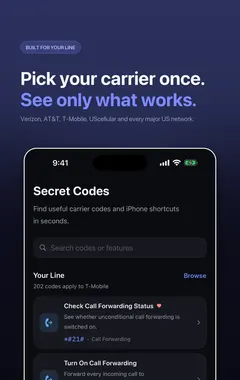
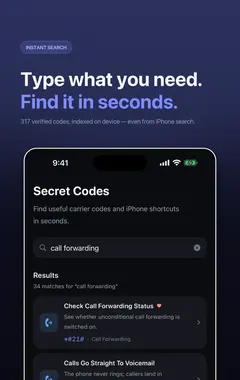
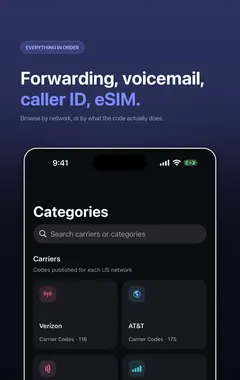
I build Secret Codes: IMEI & Carrier, a free iPhone app with 317 verified dial codes, and the screenshots in this guide come from it. If you would rather tap than memorise codes, get Secret Codes on the App Store.
What does 31 mean in a phone code?
In the GSM standard, service 31 is CLIR, Calling Line Identification Restriction. In plain English: whether the person you call can see your number. It is your network that applies it, so these codes work the same on any GSM phone.
| Code | What it does | How long |
|---|---|---|
#31# + number | Hides your number | That call only |
*31# + number | Shows your number | That call only |
*#31# | Checks your line's default setting | Changes nothing |
A simple way to remember it: the hash hides, the star shows, and star-hash checks.
How do I use #31# on iPhone?
Open Phone > Keypad and type #31# immediately followed by the full number, for example #31#07700900123, then press Call. The person you call sees "No Caller ID", "Private number" or "Unknown". It applies only to that call.
You can also save a contact with #31# in front of the number, so that person never sees your number. That is useful, but it is also the most common reason people later find calls showing as private and cannot work out why.
Does #31# still work?
Yes, on most GSM networks in the UK, Europe, Asia, the Middle East and Africa. It does not work everywhere: some carriers block it, some override it for certain numbers, and in the US the carriers use *67 instead. The quickest test is to call another phone you own, or a friend, with #31# in front and see what they see.
What does *#31# show?
Dial *#31# on its own and press Call. Your network replies with your default outgoing caller ID setting. If it says caller ID restriction is off or not active, your number is shown by default. If it says restriction is on, your number is hidden on every call unless you dial *31# first. The exact wording depends on the carrier.
How do I turn off #31# so my number shows again?
If your calls show as No Caller ID and you want your number visible, work through these in order:
- Check Settings. Go to Settings > Apps > Phone > Show My Caller ID (Settings > Phone on older iOS) and turn it on.
- Check the contact. Open the contact you called and look for
#31#at the start of the number. Delete it. - Check the line. Dial
*#31#. If restriction is on and the Settings switch is missing or greyed out, the carrier has set it on your account. Ask them to remove it. - For one call, dial
*31#before the number to show it just that time.
Is *#31# the same as *#30#?
No. *#30# checks CLIP, whether you can see the numbers of people who call you. *#31# checks CLIR, whether they can see yours. If incoming calls on your iPhone all appear as Unknown, *#30# is the code to try.
When will a hidden number still be seen?
Emergency services always receive your number. Some toll-free and business lines can still see it, and many people set their phones to reject private calls. iMessage and SMS always show your number or Apple Account. More detail, including *67 and *82 for the US, is in how to hide your caller ID on iPhone.
How Secret Codes helps
- 317 verified iPhone codes, each checked against a carrier, Apple or the 3GPP standard. Android-only and retired codes are left out.
- Plain-English explanations of what every code does before you dial it.
- Open in Phone puts the code in Apple's dialler. Nothing is ever dialled for you.
- Built around your carrier: each code says whether your network publishes it.
- A full diagnostic suite for battery, storage, Wi-Fi, cellular, display, touch, cameras, sensors and Face ID.
- IMEI in one tap with Siri, Spotlight, Shortcuts and a Home Screen quick action.
- Free, with nothing locked: no paid tier and no subscription.
Download Secret Codes free on the App Store and keep every working iPhone code in your pocket.
Frequently asked questions
What is #31# used for?
Dialled before a number on GSM networks, #31# hides your caller ID for that call. The other person sees No Caller ID or Private.
What does *#31# do?
It checks whether caller ID restriction (CLIR) is active on your line. It changes nothing.
What does *31# do?
Dialled before a number, *31# shows your caller ID for that call when it is hidden by default.
Does #31# still work?
Yes, on most GSM networks. Some carriers block or override it, and US carriers use *67 instead.
How do I disable #31# on iPhone?
Turn on Show My Caller ID in Settings > Apps > Phone, remove #31# from any saved contact numbers, and ask your carrier if *#31# shows restriction is on for your line.
Why do my calls show as No Caller ID?
Show My Caller ID may be off, the contact may be saved with #31#, or your carrier may have restriction on for your account.
Is #31# the same as *67?
They do the same job. #31# is used on GSM networks in most countries, and *67 is used by US carriers.
What is the difference between *#30# and *#31#?
*#30# checks whether you can see callers’ numbers (CLIP). *#31# checks whether people can see yours (CLIR).
Can someone see my number if I use #31#?
Most people cannot. Emergency services always can, and some business and toll-free lines may too.
Does #31# work for text messages?
No. SMS and iMessage always show your number or Apple Account.
Why is Show My Caller ID missing on my iPhone?
Your carrier controls caller ID on your line and does not allow it to be changed on the phone. Contact the carrier.
Does Secret Codes include caller ID codes for my carrier?
Yes. It includes the GSM caller ID codes and US carrier codes, and says whether each one is published for your carrier.
Secret CodesDownload free